A concrete task
AI first needs a clearly defined job. If we cannot explain what it should make faster, easier, or better, it is probably only adding complexity.
AI · Automation · Product integration
AI is most interesting to me when it becomes an almost invisible part of an existing business application: it receives the right context, performs a concrete task, and returns control of the result to the user.
AI integration · Workflow · Context · Human control
Problem
There first needs to be a task worth simplifying.
A chat interface can look impressive, but if the user still needs to copy data from the application, explain all the context to an assistant, and then manually return the result to the system, we have added another step instead of improving the workflow.
It becomes much more useful when the application already understands the data, the user, and the current task and introduces AI only in the part of the process where it creates real value.
Principles
AI first needs a clearly defined job. If we cannot explain what it should make faster, easier, or better, it is probably only adding complexity.
The result becomes more useful when the assistant receives relevant application data instead of asking the user to explain the entire context every time.
AI can suggest or complete content, but existing human-edited work should not automatically disappear because a new generation was triggered.
The best integration often has no separate chat screen. The user continues a normal workflow and AI becomes involved only where it is useful.
If an AI result is unavailable, unacceptable, or the service is temporarily down, the rest of the product still needs to work.
Anything that can be solved reliably with validation, data modelling, clear rules, or better UX usually does not need to become an AI problem.
Concrete example
A vendor edits worker content in the language currently used in the panel. When that content is saved, the system can prepare missing language versions in the background.
The most important rule is simple: a translation that has already been manually edited should not be replaced just because AI runs again.
RentalWorkers case study→Implemented workflow
01
The vendor works in the language selected for the vendor panel.
02
Save stores the original content in that language.
03
AI prepares the missing DE, FR, or IT versions in the background.
04
Existing manually edited translations remain untouched.
Workflow
Locale
The vendor works with content in the language currently selected in the vendor panel.
Edit
Worker or category descriptions are edited as normal application content.
Save
The original content is first stored as the source localized value.
Translate
AI prepares only the missing DE, FR, or IT language versions.
Protect
Existing manually edited translations are preserved.
Frontend
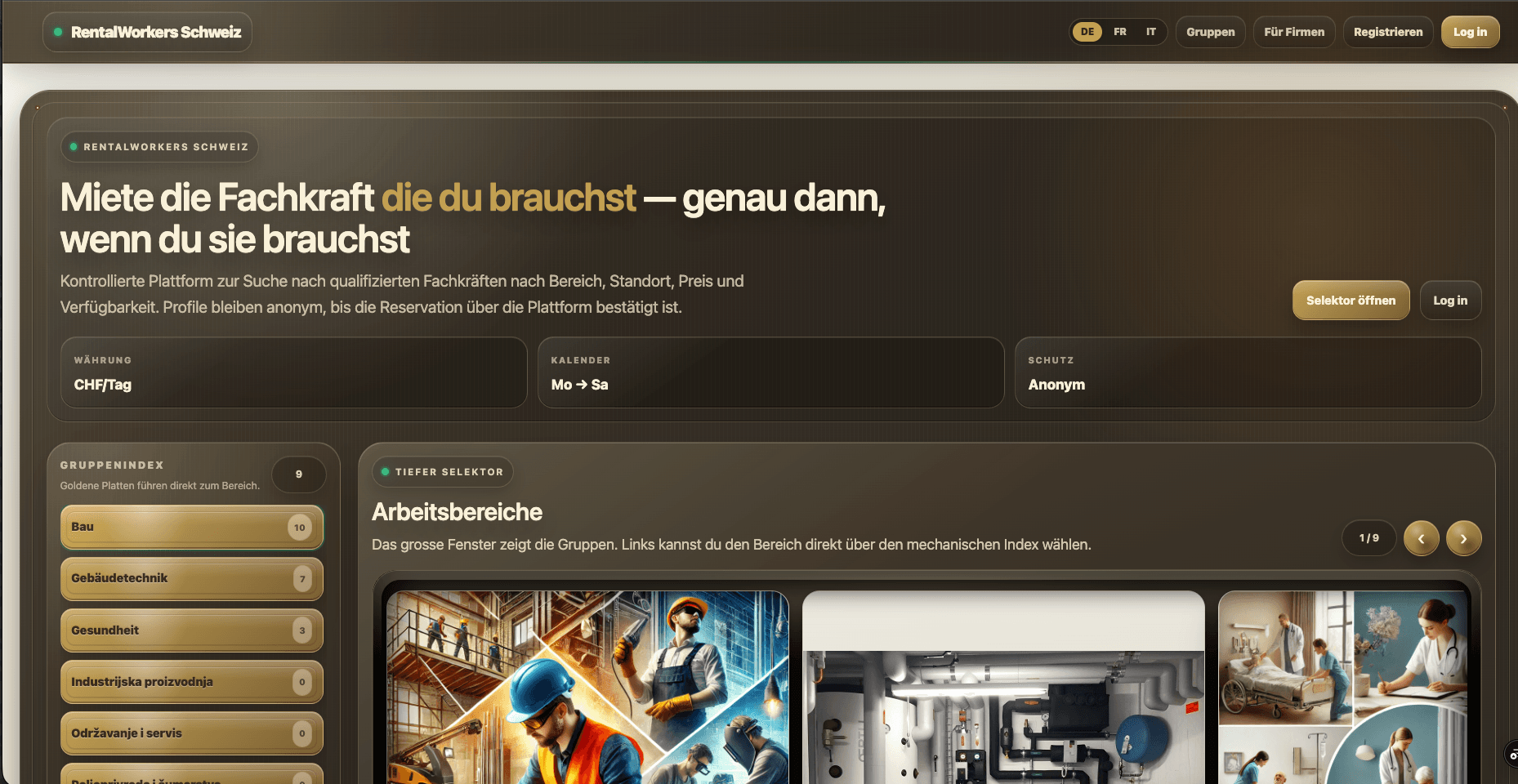
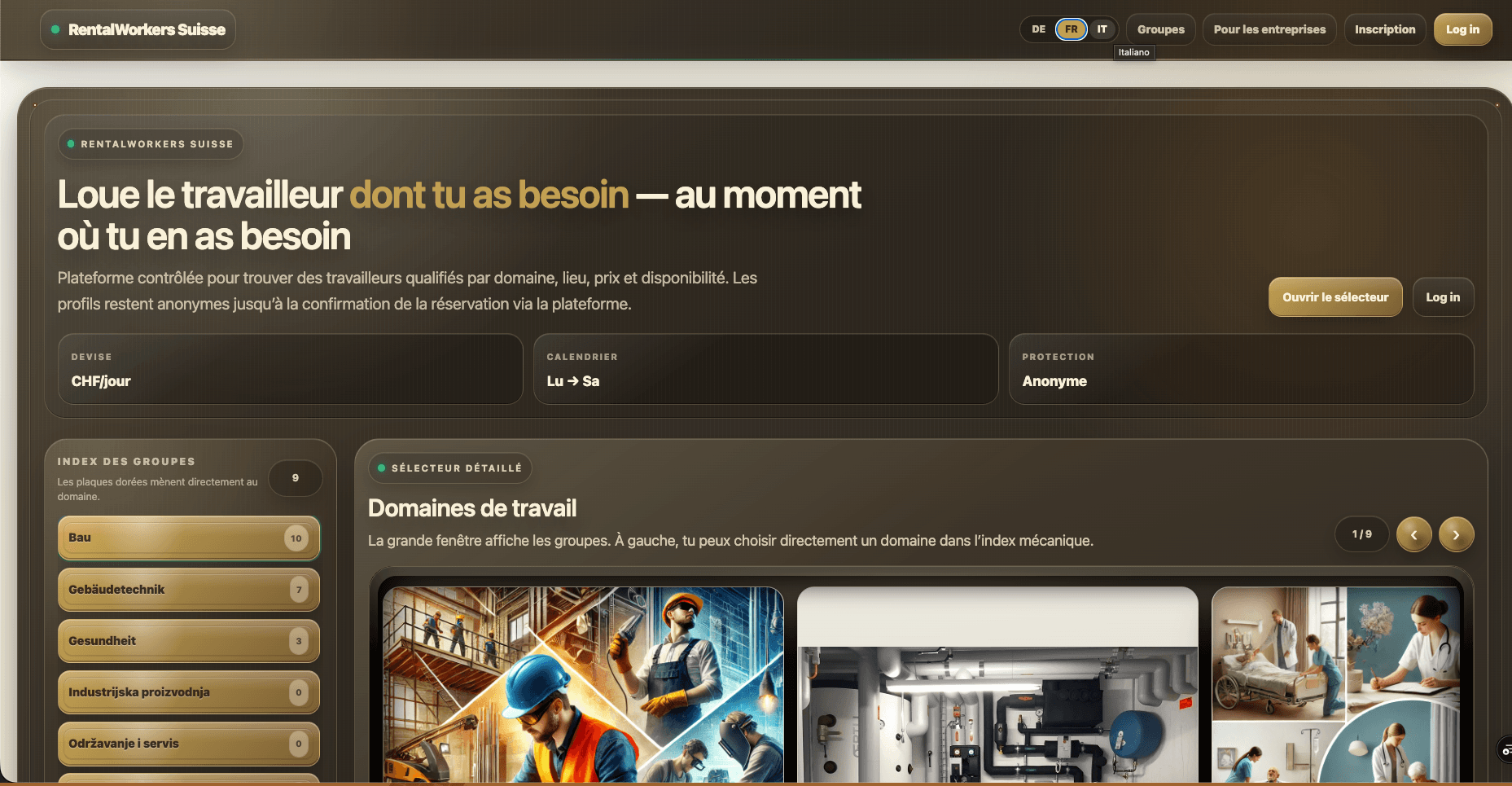
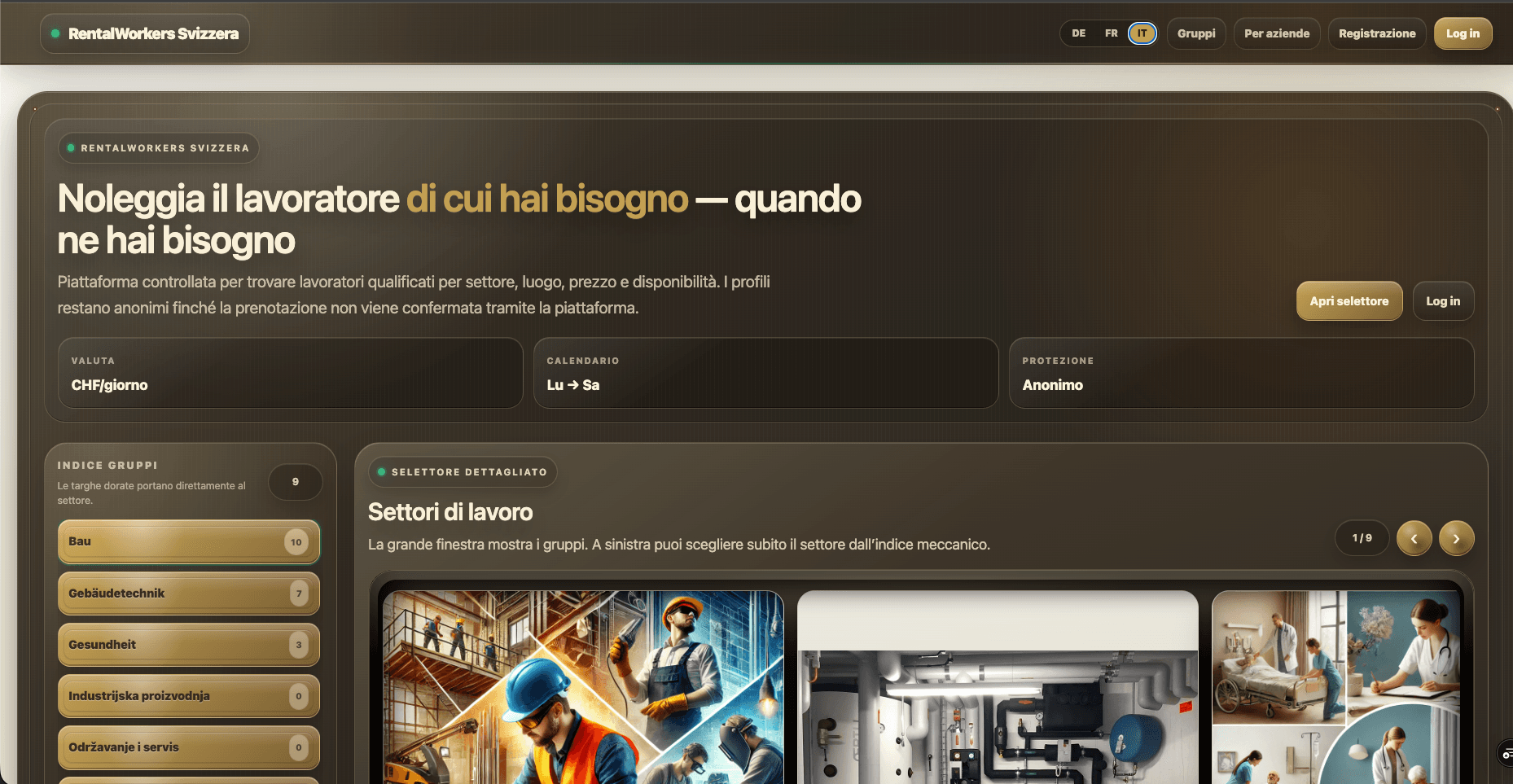
The user receives the appropriate localized version with a defined fallback when a translation is unavailable.
Frontend result
German, French, and Italian views show the same product UI with localized navigation and content.
Human control
This rule sounds simple, but it makes a significant difference to the sense of control and safety for someone working in the system every day.
If a French translation already exists and a person has edited it manually, a new AI request should not decide that it knows better and replace it automatically.
Automation becomes useful when users know what the system will do and can trust that previous work will not disappear.
Integration value
AI works with the application’s real data model
The vendor stays inside the existing workflow
Missing content can be completed automatically
Human-edited values remain protected
The frontend receives localized content from the same data source
AI functionality can evolve without changing the core business model
Second concrete example
Here AI is not added as a separate chatbot. It becomes part of presenting an actual tourism property and gives the user a guided visual tour of the space.
One video presents the exterior and surrounding context, while another takes the user through the interior. AI becomes part of the product experience instead of a decorative addition to the interface.
Jumbakis Stays case study→What this direction demonstrates
AI
The goal is not for users to constantly feel that they are “talking to AI”. The goal is for work that previously required several manual steps to become simpler.
That is why I consider AI together with the data model, permissions, workflows, fallback logic, and the rest of the application.
AI in your system
We can first look at how people handle it today and only then decide whether AI is actually the best solution.
AI assistants →